一,创建测试代码
$ mkdir deployproj
$ cd deployproj/
$ python3 -m venv venv
$ source venv/bin/activate
$ vi app.py
app.py
from flask import Flaskapp = Flask(__name__)@app.route('/')
def index():return 'Hi! It works!<br/>您好,flask frame'if __name__=='__main__':app.run(debug=True)
运行代码:
$ pip install flask
$ flask run
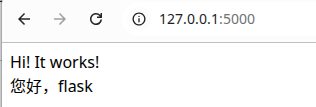
运行效果:
二,用gunicorn做wsgi容器
1,安装gunicorn
$ pip install gunicorn运行 gunicorn
$ gunicorn -w4 -b0.0.0.0:8000 app:app-w 表示开启多少个 worker,-b 表示 gunicorn 开发的访问地址。
app是Python文件名,第二个app是文件中的变量名或者函数名
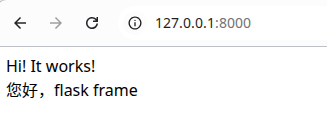
运行效果:
三,使用supervisord管理进程
1,安装
$ pip install supervisor生成配置文件
$ echo_supervisord_conf > supervisor.conf编辑配置文件:在末尾增加:
[program:gunicorn]
command=/data/python/deployproj/venv/bin/gunicorn -w4 -b0.0.0.0:8000 app:app    ; supervisor启动命令
directory=/data/python/deployproj                                                 ; 项目的文件夹路径
startsecs=0                                                                             ; 启动时间
stopwaitsecs=0                                                                          ; 终止等待时间
autostart=false                                                                         ; 是否自动启动
autorestart=false                                                                       ; 是否自动重启
stdout_logfile=/data/python/deployproj/logs/gunicorn.log                           ; log 日志
stderr_logfile=/data/python/deployproj/logs/gunicorn.err
3,supervisor的启动和管理:
启动supervisord服务
$ supervisord -c supervisor.conf查看supervisord管理的进程
$ supervisorctl -c supervisor.conf status
gunicorn                         STOPPED   Not started
启动进程:
$ supervisorctl -c supervisor.conf start gunicorn
gunicorn: started
启动后再次查看:
$ supervisorctl -c supervisor.conf status
gunicorn                         RUNNING   pid 9530, uptime 0:00:03
停止进程:
$ supervisorctl -c supervisor.conf stop gunicorn
gunicorn: stopped
停止进程后查看状态:
$ supervisorctl -c supervisor.conf status
gunicorn                         STOPPED   Jan 03 09:37 PM
停止supervisord服务:
$ supervisorctl -c supervisor.conf shutdown
Shut down
停止服务后查看状态:
$ supervisorctl -c supervisor.conf status
unix:///tmp/supervisor.sock no such file